Kimber
Android TV & Google TV
IPTV player for Android TV and Google TV
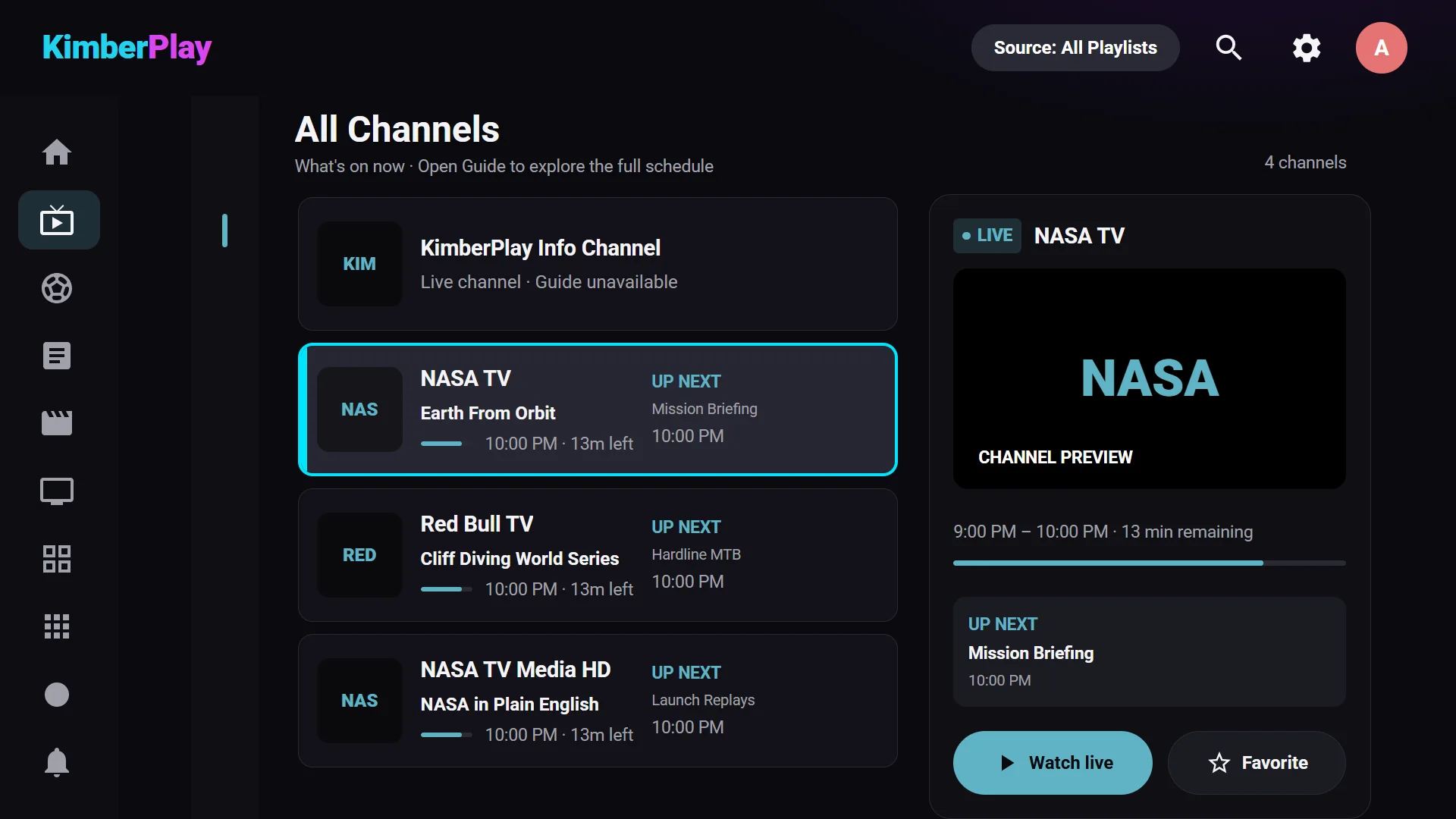
KimberPlay is a free IPTV player for Android TV and Google TV that turns the M3U link, Xtream login or Stalker portal you already have into live TV with a full guide, movies and series. It runs on Android 5.0 or newer, is driven entirely by the TV remote, and installs today from kimberplay.com/apk. It is a player only: no channels are included, and you use sources you are authorised to access.
Pick your install route
| Your device | How KimberPlay installs | Where to go |
|---|---|---|
| Google TV or Android TV (box, stick or built into the TV) | Direct APK | Steps below |
| Amazon Fire TV running Fire OS | Direct APK through Downloader | Firestick guide |
| Fire TV Stick 4K Select and other Vega OS Fire TVs | Not available yet | Vega OS cannot install APKs; a version is planned |
| Google Play Store | Not available yet | Being prepared; not live as of October 2026 |
| No compatible TV device | Web player or desktop app | Devices and the web player |
Install on Google TV or Android TV
Step 1 — Turn on developer options
On Google TV: Settings → System → About, then select Android TV OS build seven times until the TV says you are a developer. Older Android TV menus put the same switch under Settings → Device Preferences → About → Build. This only unlocks the permission prompt used in Step 3; it does not change anything else.
Step 2 — Install Downloader from Google Play
Search Google Play on the TV for Downloader (by AFTVnews). If the search does not find it, include “AFTVnews” in the search.
Step 3 — Download KimberPlay
Open Downloader and enter kimberplay.com/apk. When Android asks whether Downloader may install apps, allow it (on older Android TV this is Settings → Apps → Security & restrictions → Unknown sources). If Google Play Protect offers to scan the app, let it scan — there is no need to turn Play Protect off. Choose Install, then Open. Each build is signed and its SHA-256 checksum is published next to the download.
Step 4 — Add your source
Enter the M3U link, Xtream server and login, or Stalker portal your provider gave you, choose what to import (live, movies, series), and press Build My Library. Add a separate XMLTV guide link in Settings if your M3U playlist does not carry one.
What the TV app does on Android TV
Android TV and Fire TV run the same KimberPlay app, which is the most complete version of the player. Compared with the Windows, Linux and web players:
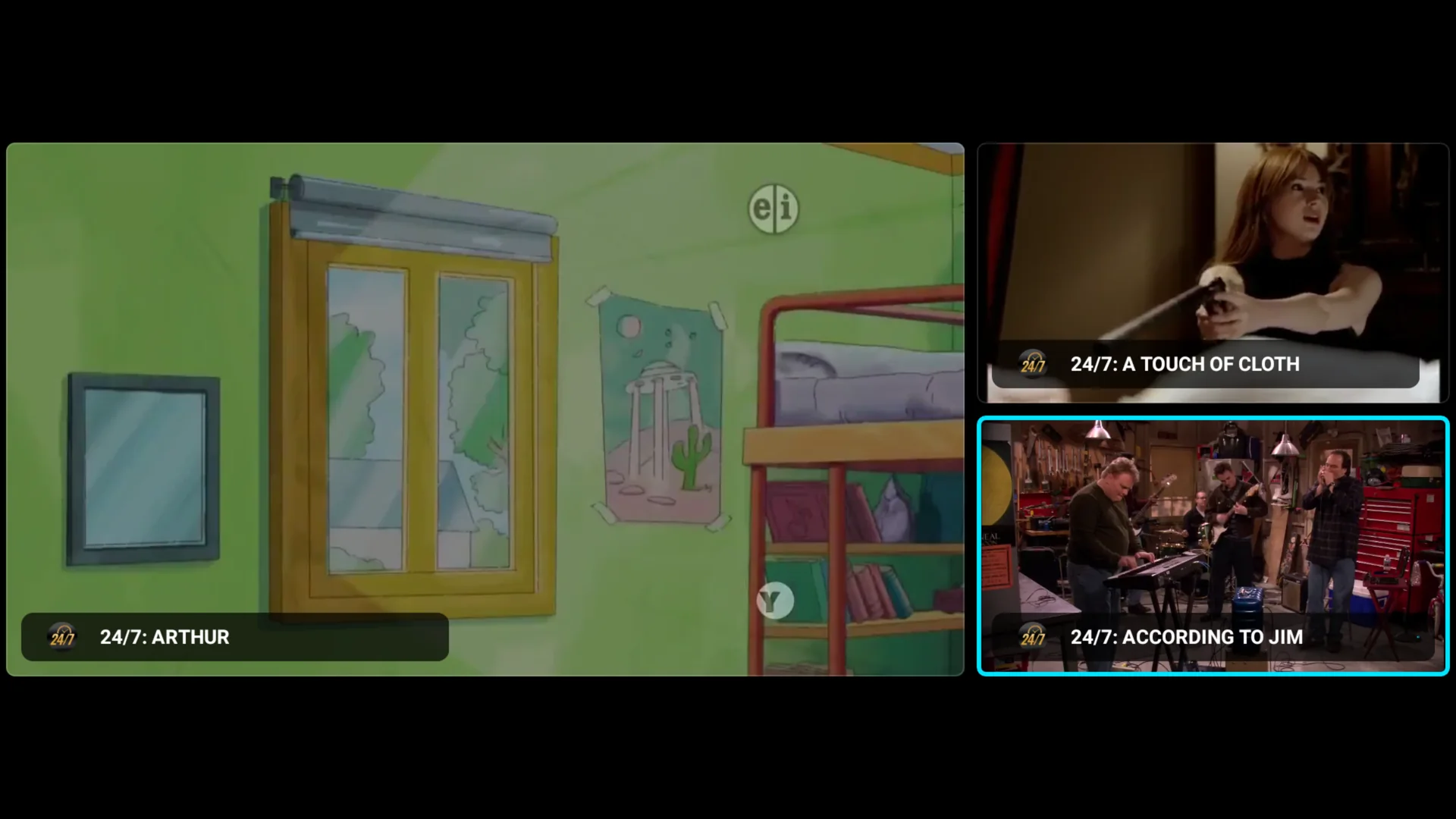
- Multi-view (Plus): up to four live channels on one screen; the D-pad picks which one you hear. How many streams play smoothly depends on the device and on your source’s connection limit.
- DVR recording (Plus): record a programme from the guide, or every episode with a series rule.
- Catch-up (Plus): replay past programmes and resume paused live TV on channels where your provider offers an archive.
- Phone remote and Cloud Sync (Plus): control the TV from a phone browser; optionally sync playlists, favourites and progress between TV devices with a paid key (off until you enable it).
- Match frame rate: Cinema mode switches the TV’s refresh rate to the video’s where the device supports it.
The full per-platform list is the feature matrix; how the guide handles missing data is explained in the EPG troubleshooting guide.
Quick answers
What is a good IPTV player for Android TV and Google TV?
A good Android TV IPTV player plays the M3U, Xtream or Stalker source you already have, fills a full program guide, is fully usable with the TV remote, and keeps your library through updates. KimberPlay is a free IPTV player for Android TV and Google TV (Android 5.0 or newer) that does this, with recording, catch-up and multi-view in Plus. It includes no channels; your content comes from your own provider.
Is KimberPlay on Google Play?
Not yet. A Google Play release for Android TV and Google TV is being prepared but is not available as of October 2026. Today the app installs from kimberplay.com/apk, a signed APK with a published checksum. This answer will change when the Play listing is live.
Which Android TV devices does KimberPlay support?
Android TV and Google TV devices running Android 5.0 (API 21) or newer with a standard remote: streaming boxes, sticks and TVs with Android TV or Google TV built in. Fire TV devices running Fire OS use the same app. The verified-device table at kimberplay.com/devices lists the hardware that has been through a recorded test pass; other Android TV devices should work but are not called verified until they have.
Do I need a Fire TV Stick if my TV already runs Google TV?
No. Install KimberPlay on the TV itself. A stick only helps if the TV's own software is not Android TV or Google TV, for example a Samsung (Tizen) or LG (webOS) TV.
Choosing between players? See the dated comparison of popular IPTV players or the KimberPlay vs TiviMate page. Pricing, refunds and privacy are covered in the FAQ.