M3U links, Xtream Codes logins, and Stalker portals. Enter exactly what your provider sent you — nothing to convert, nothing to host.
IPTV player · Fire TV · Android TV · Windows · Linux · Web
Your playlist.
A real TV app.
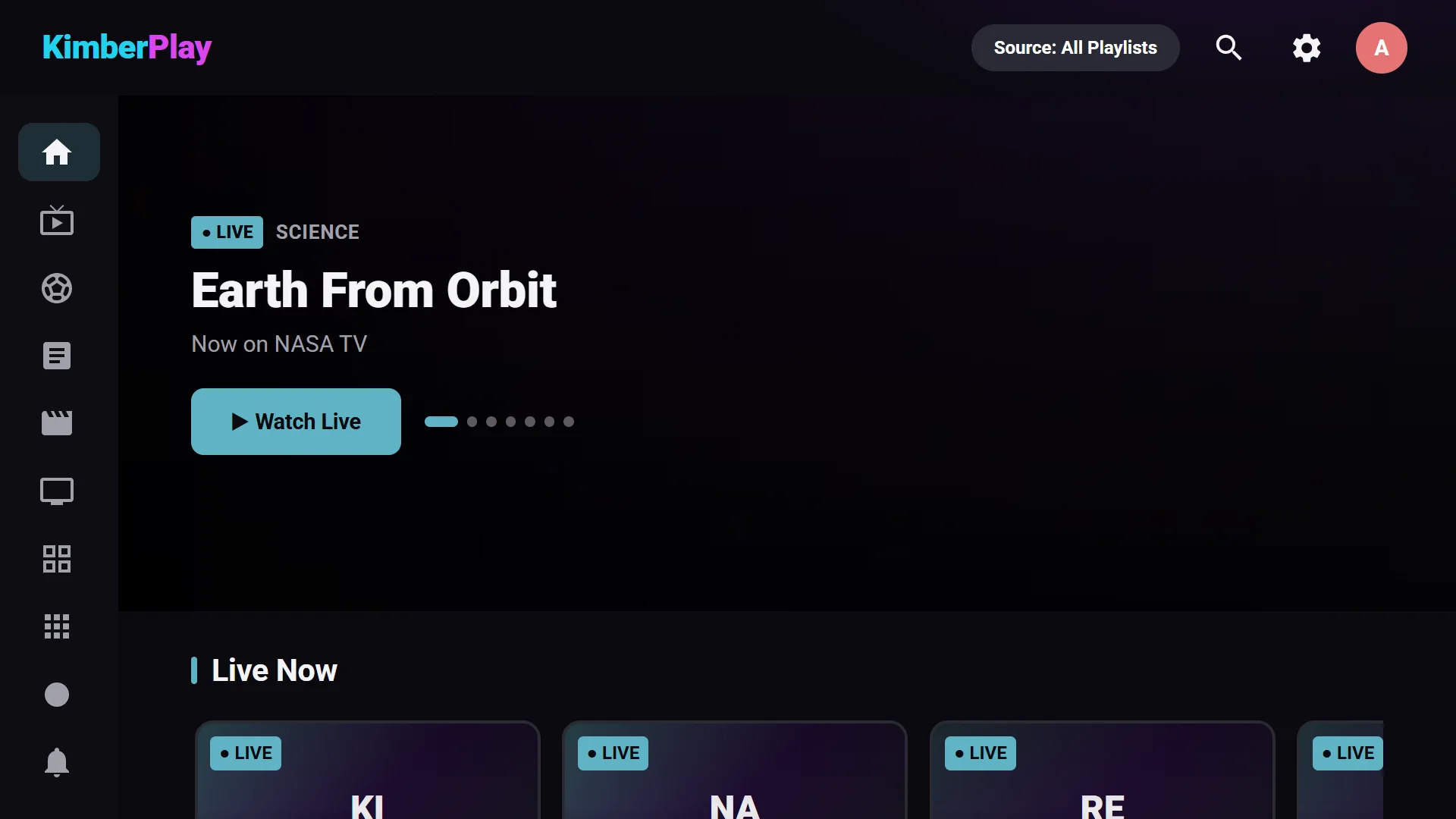
KimberPlay is the player for people who already have an IPTV subscription. Add the M3U link or Xtream login your provider gave you, and it becomes Live TV with a guide, Movies, Series, Sports, and DVR — on the TV, the PC, or in a browser.
Player software only. No channels, playlists, or subscriptions are included or sold — you use a source you’re authorized to access.
- Fire TV Stick
- Android TV & Google TV
- Windows 10 & 11
- Linux
- Any browser
Built for IPTV subscribers, not for a spec sheet.
Fifty-thousand-channel playlists import in one pass. The guide, search, and grids stay instant on a $30 stick.
One playlist, the player, the guide and search, no card and no countdown. Every new install gets 14 days of Plus. Plus adds multi-view, recording, catch-up, the Sports & News hubs, cloud sync, the phone remote, and unlimited playlists.
Every screen, from the couch.

Live TV
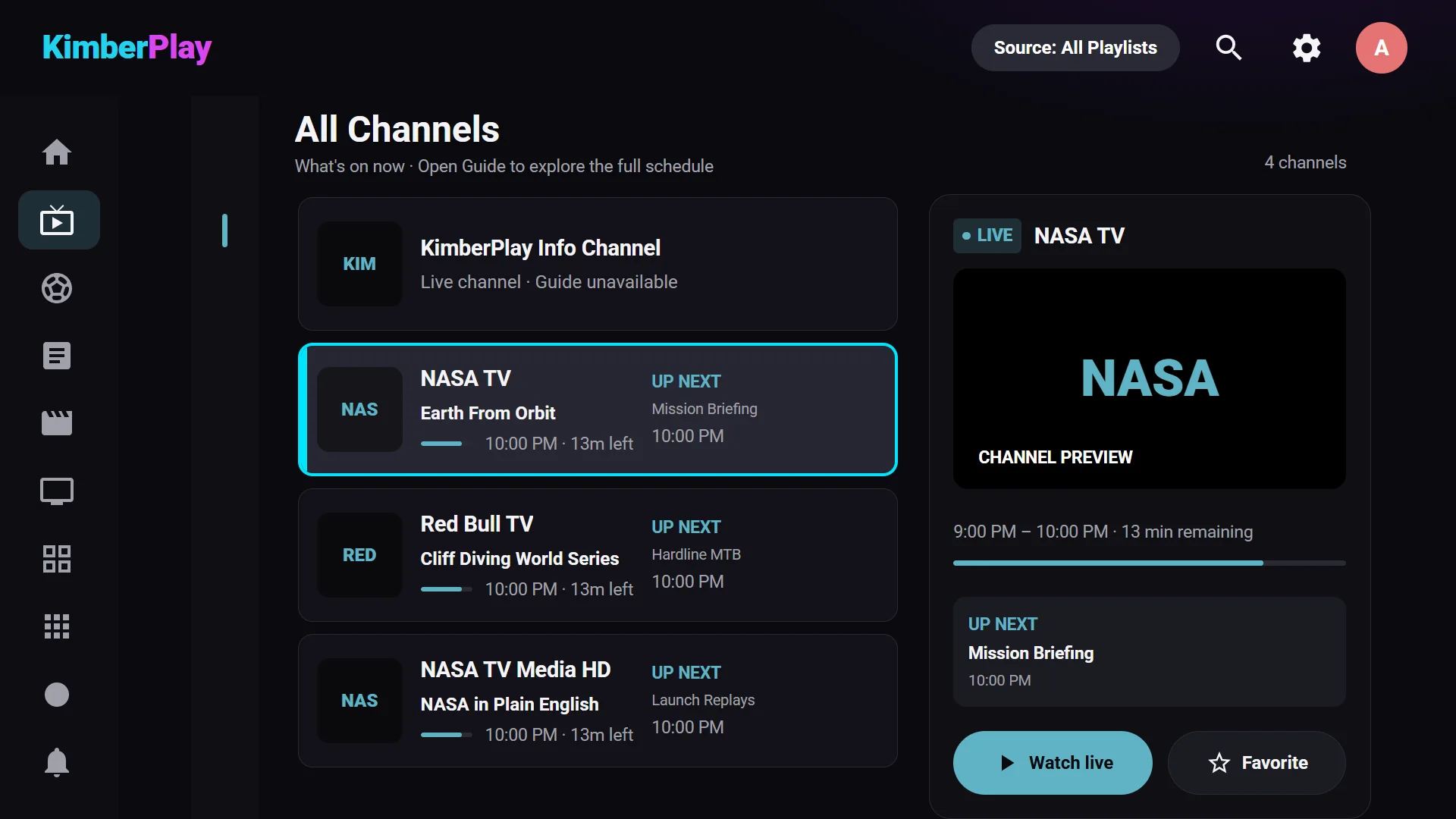
Channels the way a cable box shows them.
Your groups become a clean channel list with what's on now, what's next, a live preview, and one press to watch. Favorites and recently watched pin to the top.
- Number-key tuning
- Channel up / down from the player
- Favorites & recent channels

TV Guide
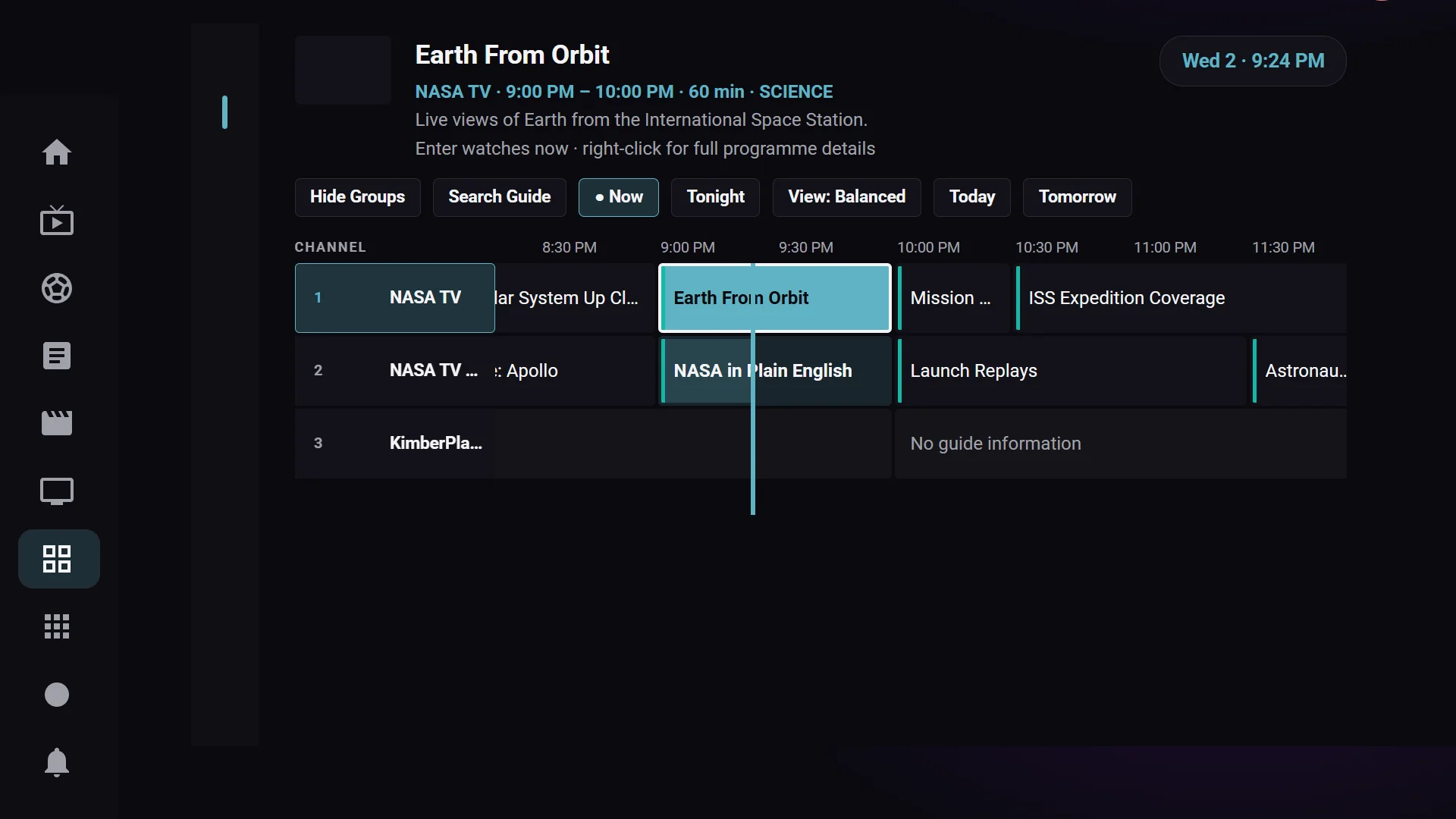
A real guide, not a list of titles.
The EPG your provider supplies, or any XMLTV link you add, becomes a seven-day timeline you scroll like cable. Set reminders, jump to catch-up where your provider offers it, and search the whole schedule.
- Seven-day timeline
- Reminders & catch-up replay
- Guide search

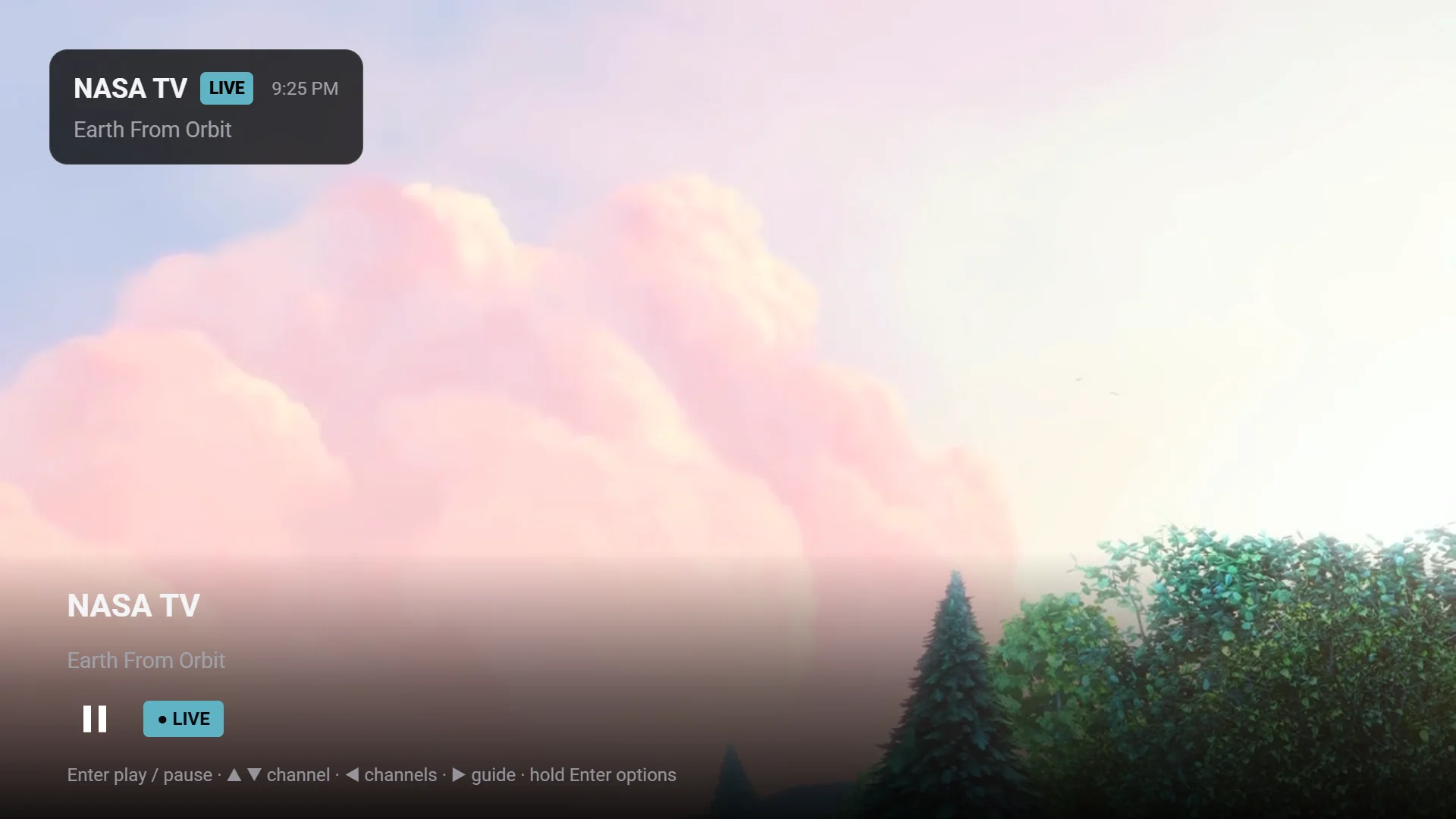
The player
Every format your provider sends actually plays.
The desktop apps play through the mpv engine, so MKV, HEVC, AC3, and raw TS streams work instead of erroring. Audio and subtitle tracks, aspect ratio, sleep timer, and a channel switcher live one press away.
- Audio & subtitle tracks
- Sleep timer & screen-off audio
- Record live TV (Plus)

Sports Hub
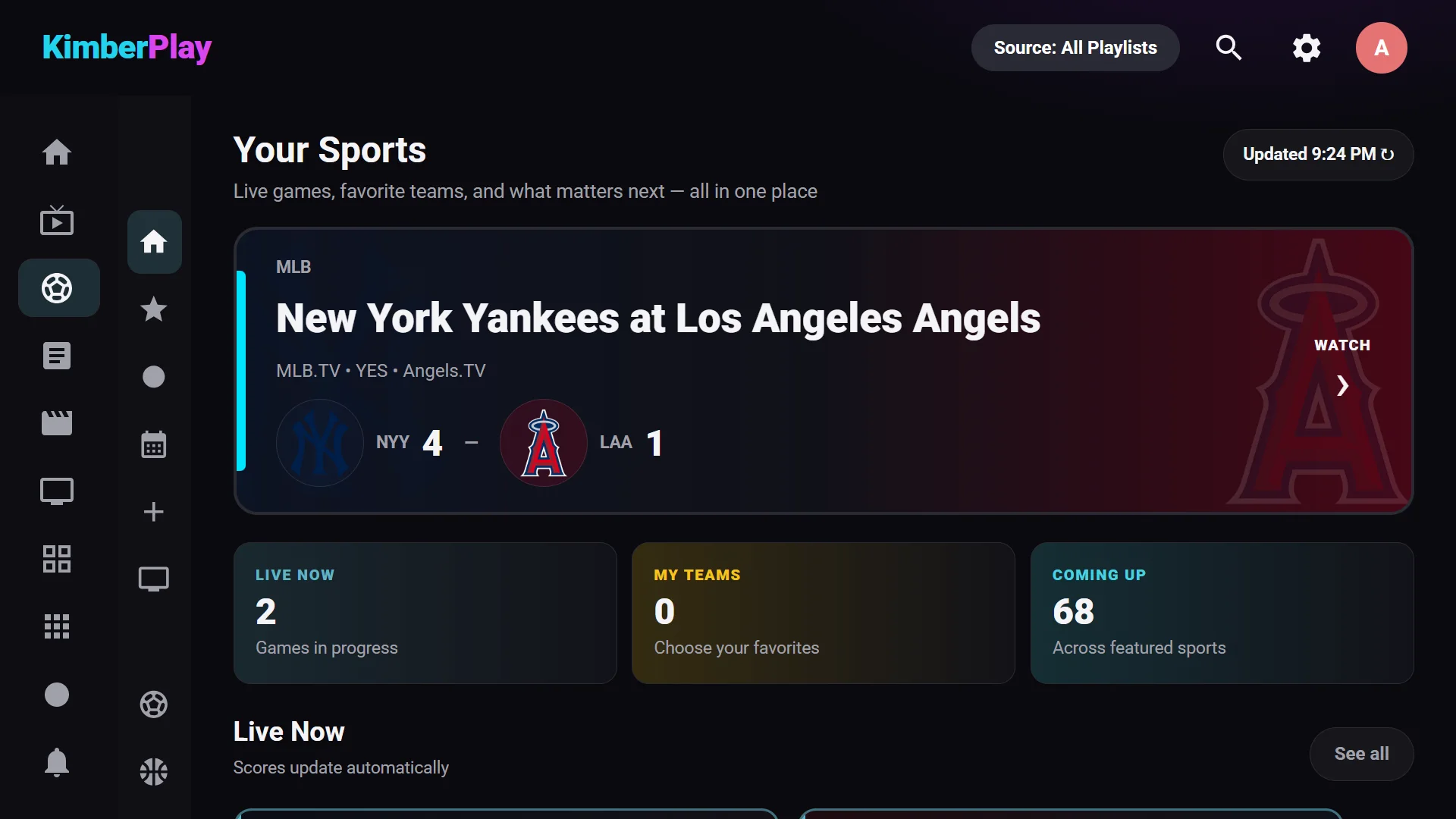
Find the game, then the channel that has it.
Live scores and fixtures across the major leagues, matched to the channels in your own playlist. Follow your teams, set a reminder for kickoff, and press Watch.
- Live scores & seven-day schedule
- Matches games to your channels
- Follow teams, game reminders

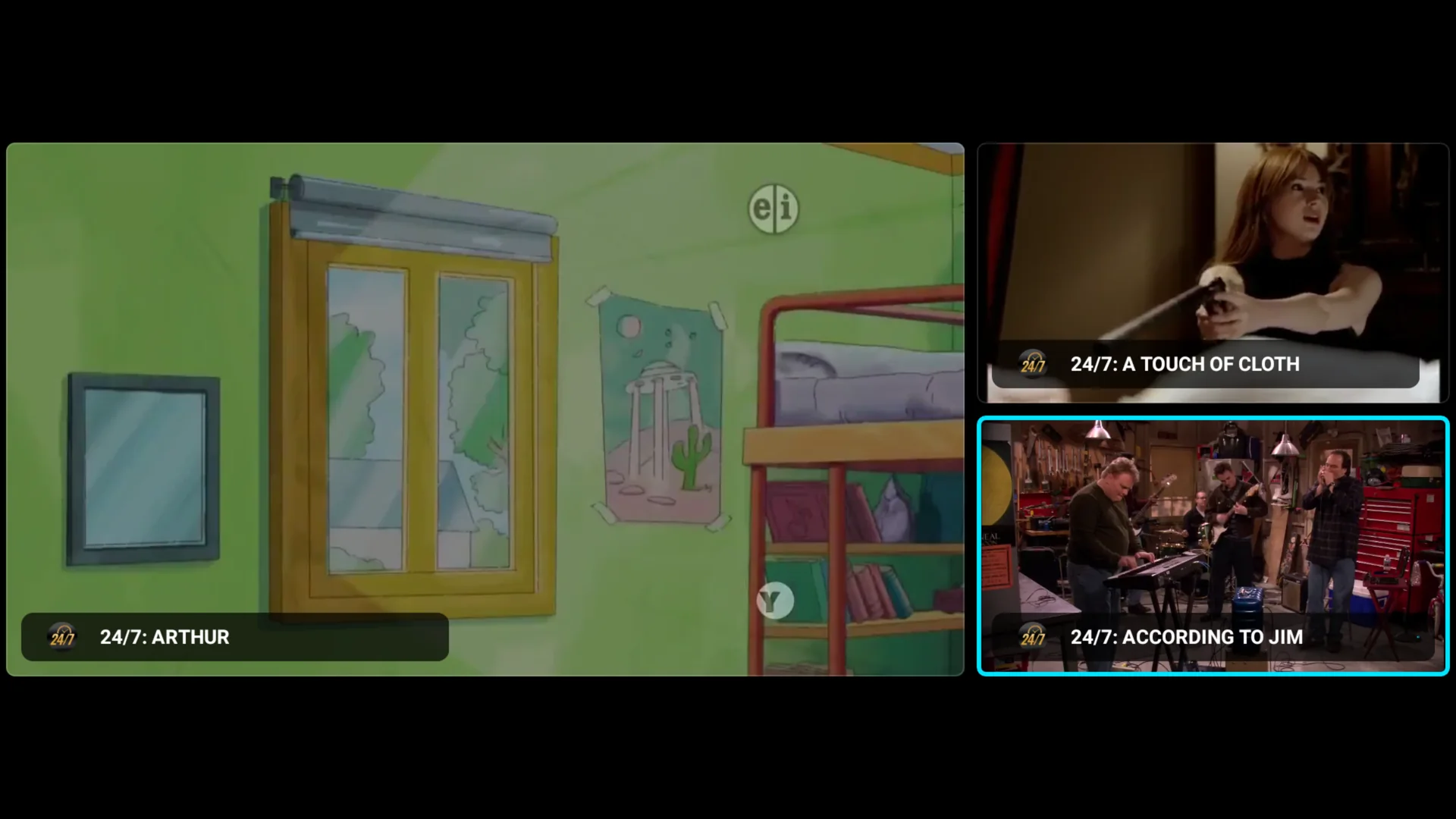
Multi-view · Plus
Four games. One screen. Sound where you point.
Put up to four live channels on the screen at once. The D-pad picks which one you hear, OK takes it full screen, and a saved preset brings your Sunday line-up back in one press. Quiet screens step down in quality so a $30 stick keeps up.
- Up to 4 live channels, each its own stream
- Sound follows the highlighted screen
- Presets for game day — KimberPlay Plus

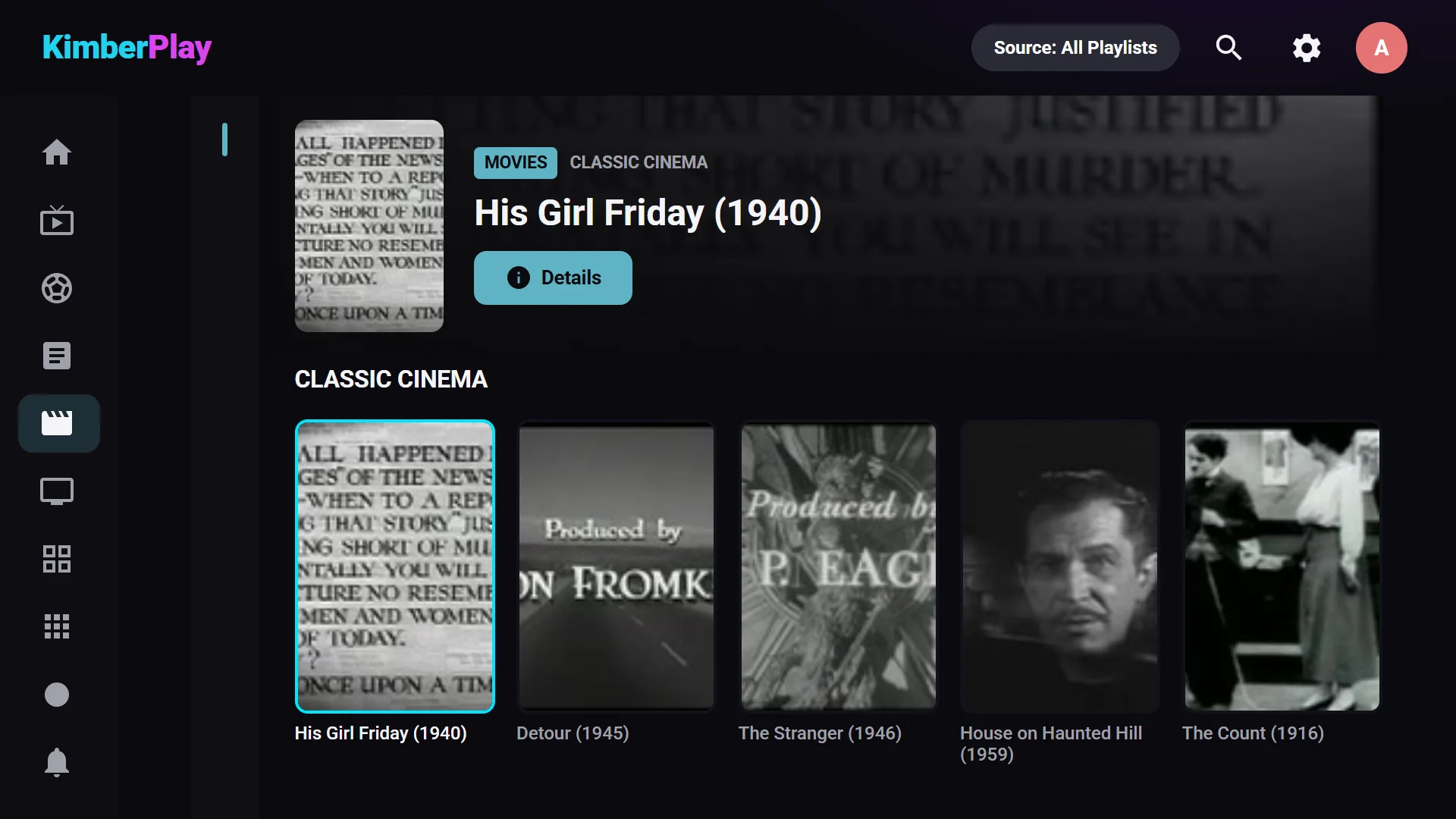
Movies & Series
Your on-demand library, with posters and seasons.
Films and shows from your playlist are organized with artwork, plot, cast, seasons, and episodes. Continue watching picks up where you left off, and spoilers stay hidden until you're ready.
- Posters, plot & cast
- Seasons & episodes
- Continue watching

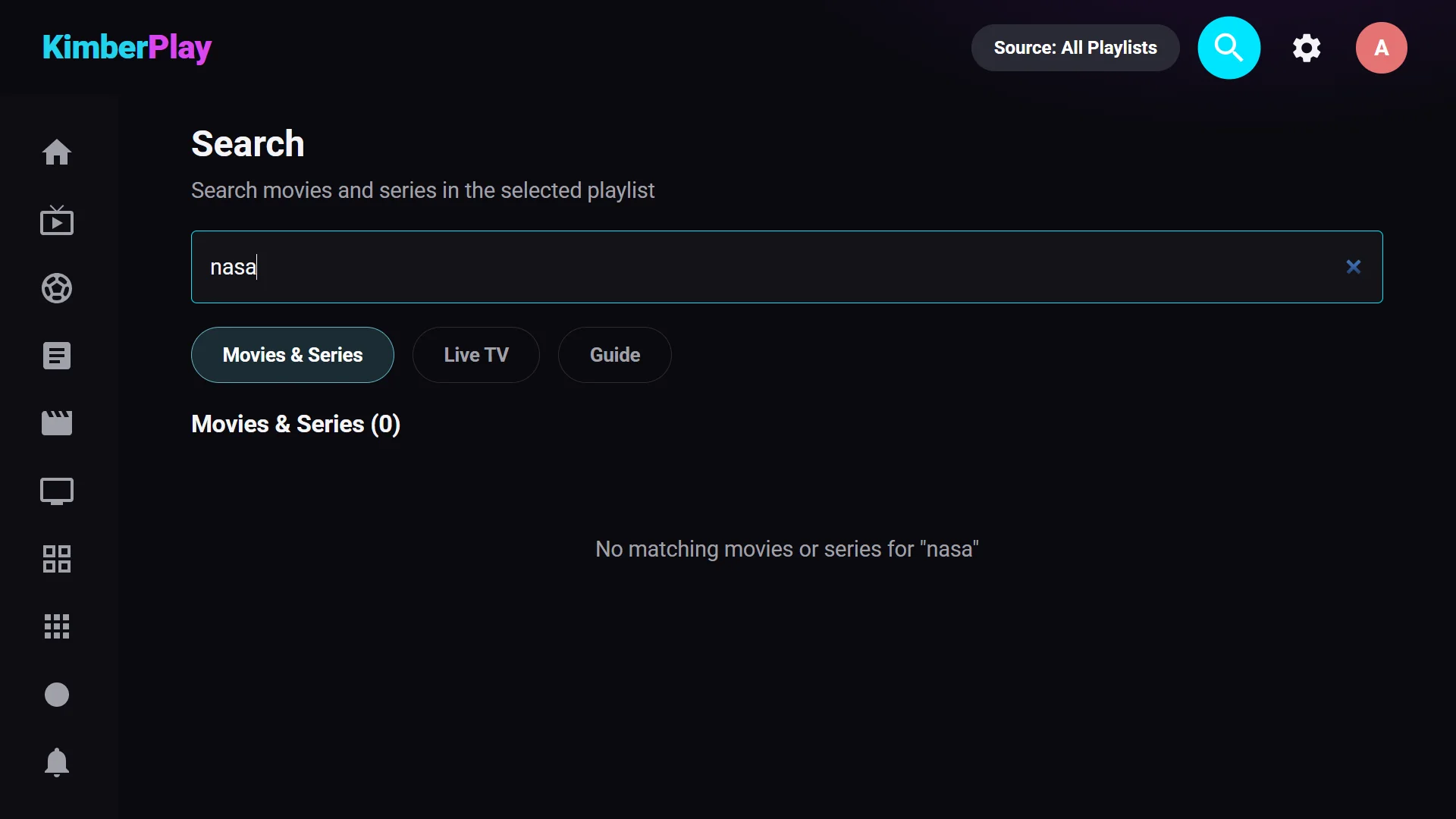
Search
Anything in your library, in a few letters.
Channels, movies, shows, and guide programs in one search box. Type on the remote or a keyboard; results narrow as you go.
- Channels, titles & guide
- Instant results on huge playlists
- Remote-friendly
- Multi-view (Plus)
- Phone remote (Plus)
- Cloud sync (Plus)
- DVR recording
- Catch-up replay
- Program reminders
- Multiple playlists
- Profiles
- Parental PIN
- Private locked library
- Backup & restore
- Skins
- 9 languages
- News hub
- Browse by category
- Xtream, M3U & Stalker
Coming from another player?
Same playlist. Two minutes. Nothing to convert.
If you use TiviMate, IPTV Smarters, or any other player today, your provider’s M3U link or Xtream login works here as-is. Enter it once; KimberPlay builds the channel list, the guide, and your Movies and Series on its own.
- Free never expires. The full viewing experience with one playlist, for as long as you like.
- Plus is $9.99 a year or $29.99 once, on up to 5 devices. No monthly fees to us, ever.
- Your data stays on your device. Credentials and viewing history are never uploaded.
- TV, PC, and browser from one license — the same app everywhere.
Install in two minutes.
Fire TV Stick
- 1Allow Downloader
On the Fire TV, go to Settings → My Fire TV → Developer Options and switch on apps from unknown sources for Downloader. Install Downloader from the Amazon Appstore if you don't have it.
- 2Type the address
Open Downloader and enter kimberplay.com/apk. The app downloads and the installer opens.
- 3Add your playlist
Open KimberPlay, enter the M3U link or Xtream login your provider gave you, and press Build My Library.
Downloader addresskimberplay.com/apk
Every platform
Fire TV · Android TV · Google TVDownload KimberPlay 1.11.0 (APK)SHA-256: 4ef99b5ed95f5f80b57f104512d22aa3a2314e0c769b0e9210916f635a43df24 — verify the file you install.Speaks nine languages: English, Español, Português, Deutsch, Français, Italiano, Nederlands, Polski, Türkçe.
Windows 10 & 11Download for Windows 0.9.0 (.exe)SHA-256: 45d3827f907909284a1031af2d3969df3d220fa0a140db533a2df74910faf94b — verify the file you install.Plays through the bundled mpv engine, so MKV, HEVC, AC3, and raw-TS streams all work. The installer is not yet code-signed: if SmartScreen asks, choose “More info” → “Run anyway” after checking the SHA-256.
Linux · Ubuntu, Fedora & moreDownload for Linux 0.8.0 (AppImage)Debian or Ubuntu? Get the .deb package instead.SHA-256 (AppImage): eb6ef58d235590e305fc72953f8f3e0ac18141db148fcfaeacd4728bbb8a2fa3Plays through your distribution’s mpv package (sudo apt install mpv,dnf, or pacman), so every IPTV format works. Make the AppImage executable, then run it; the player overlay needs a compositing desktop, which GNOME, KDE, Cinnamon, and XFCE all provide.
Any browser · nothing to installOpen the web playerRuns in Chrome, Edge, or Firefox. A browser can only load providers that allow web pages to fetch from them; if yours doesn’t, the built-in demo still shows you the whole app, and the Windows, Linux, and TV versions are not affected.
Pay for the player. Never for channels.
Plans unlock software features and device seats. They never include television channels, media rights, or any third-party subscription.
Free
$0 forever
- One playlist
- Live TV, Guide, Movies & Series
- Search, favorites & continue watching
- 14 days of Plus to try everything
Plus
$9.99 per year
- Everything in Free
- Multi-view: up to 4 channels at once
- DVR recording & catch-up replay
- Sports & News hubs, phone remote, cloud sync
- Reminders, unlimited playlists, backup, skins
- Up to 5 devices
Plus Lifetime
$29.99 once
- Every Plus feature
- For the life of the product
- Up to 5 devices
- No renewal, no subscription
Prices in USD; applicable taxes appear at Stripe checkout. Your license key arrives by email within a minute — enter it under Settings → License. Cancel a yearly plan anytime at kimberplay.com/billing; it keeps working until the term ends. 14-day refund policy.
Straight answers.
Does KimberPlay include channels, movies, or subscriptions?
No. KimberPlay is media-player software only. It does not provide, sell, host, recommend, or bundle channels, playlists, subscriptions, or any audiovisual content. You bring a source you are authorized to use.
Will it work with my provider?
If your provider gives you an M3U link, an Xtream Codes login (server, username, password), or a Stalker portal address, yes — enter it exactly as they sent it. KimberPlay reads standard playlists and guides; it has no list of providers and no partnership with any of them.
Can I use it on my phone or tablet?
The apps are built for TVs and PCs. On a phone, the web player at kimberplay.com/app runs in the browser with a phone layout — handy for setting things up or checking the guide — as long as your provider allows browser access.
What do I need to use it?
A supported device and a playlist or compatible source you are legally authorized to access — an M3U URL, an Xtream-compatible account, or a Stalker portal.
Will it handle my provider's huge playlist?
That is the design center. Imports are atomic and indexed, so playlists with tens of thousands of channels and titles stay fast on TV hardware — the published million-entry benchmark has the numbers.
Which devices are supported?
Fire TV, Android TV, and Google TV on Android 5.0 or newer; Windows 10 and 11 and Linux desktops through the desktop app, which plays through the mpv engine so every IPTV format works; and any modern browser through the web player, which is limited to providers that allow browser access.
Where does the program guide come from?
From your source: Xtream accounts supply EPG directly, and any XMLTV URL can be added (with backups) in Settings. KimberPlay renders it as a full cable-style timeline with reminders and catch-up where your provider supports it.
Are my playlist credentials uploaded anywhere?
No — playlists, credentials, viewing history, and progress stay on your device. The app's only always-on call home is license verification (your key plus a random install ID), and the Privacy page lists every network call the app can make.
Is there a free trial?
Better: the Free tier is free forever, no card, no countdown — one playlist and the full viewing experience. Plus exists for power features like recording and multiple playlists, and a 14-day refund policy backs every purchase.
Does KimberPlay sell or recommend IPTV services?
No. KimberPlay does not sell, rank, recommend, or broker third-party television services, and never will.
Is the app in my language?
Nine, fully translated: English, Español, Português (Brasil), Deutsch, Français, Italiano, Nederlands, Polski, and Türkçe. Pick one under Settings → Language; it applies everywhere, immediately.
KimberPlay is player software. It does not include, host, sell, recommend, or broker channels, playlists, subscriptions, or any audiovisual content. You supply a source you are authorized to use, and you are responsible for complying with the laws where you live. TiviMate and IPTV Smarters are trademarks of their respective owners; KimberPlay is not affiliated with, endorsed by, or connected to any content provider, broadcaster, or IPTV service. See the Terms, Privacy Policy, and Refund Policy.
Kimber