Kimber
Guide
An EPG player that scrolls like a cable guide
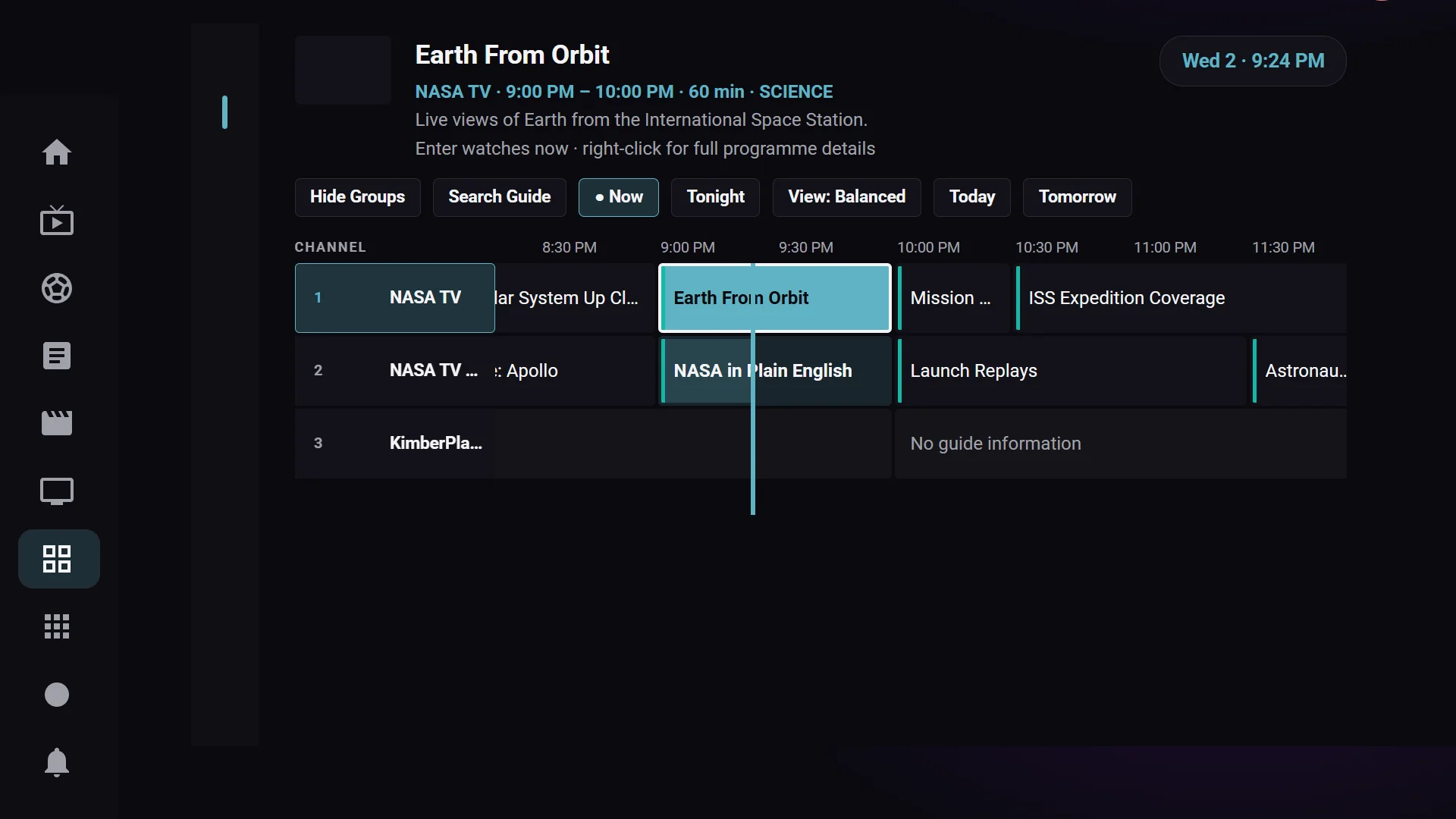
The program guide in KimberPlay is the schedule your source already publishes. Xtream accounts supply EPG directly. An M3U playlist usually points at an XMLTV link, and any XMLTV URL can be added — with backups — in Settings. KimberPlay draws that data as a seven-day timeline. It does not invent programs the feed does not contain.
What you can do from the grid
- Scroll the timeline the way you would a cable box, with a now line through the current slot.
- Search the schedule, not only the channel names.
- Set a reminder for a program that has not started.
- Jump to catch-up where your provider offers it. Catch-up is a Plus feature and still depends on the source; a player cannot replay what the account does not keep.
When the ids in the playlist are a mess
A large share of real playlists ship channels with a blank or wrong guide id. KimberPlay matches those channels to the feed by name, after stripping quality tags and region prefixes. It refuses to guess: if two channels still look alike, the row stays empty instead of showing the wrong schedule. Anything left over can be assigned by hand from the guide. The same matcher runs on the Android app and on the desktop player.
If a row is empty, the feed is stale, or a whole region is blank, that is a data problem with a short checklist on the guide troubleshooting page. No player can describe a channel the feed does not cover.
Where the guide shows up
On Fire TV and Android TV the grid is built for the remote. On Windows and Linux it is the same schedule inside the desktop player, which plays through mpv. The browser player can show it when your source allows a web page to fetch the guide. Sports listings in the Sports hub are matched to channels in your own playlist; they are not a second guide KimberPlay licenses.
No content included
KimberPlay provides no content or channels. It does not sell, host, or recommend playlists. Use a playlist you are authorized to access.
Platform setup: Android TV and Google TV, Fire TV Stick, Windows, and Linux. How an Xtream login carries its own guide is part of M3U vs Xtream Codes.